
Instagram Lead Generation Automation: How to Capture and Qualify Leadss
Learn how to turn Instagram comments, Story replies, and DMs into qualified leads using automated lead capture, smart questions, and organized follow-up.
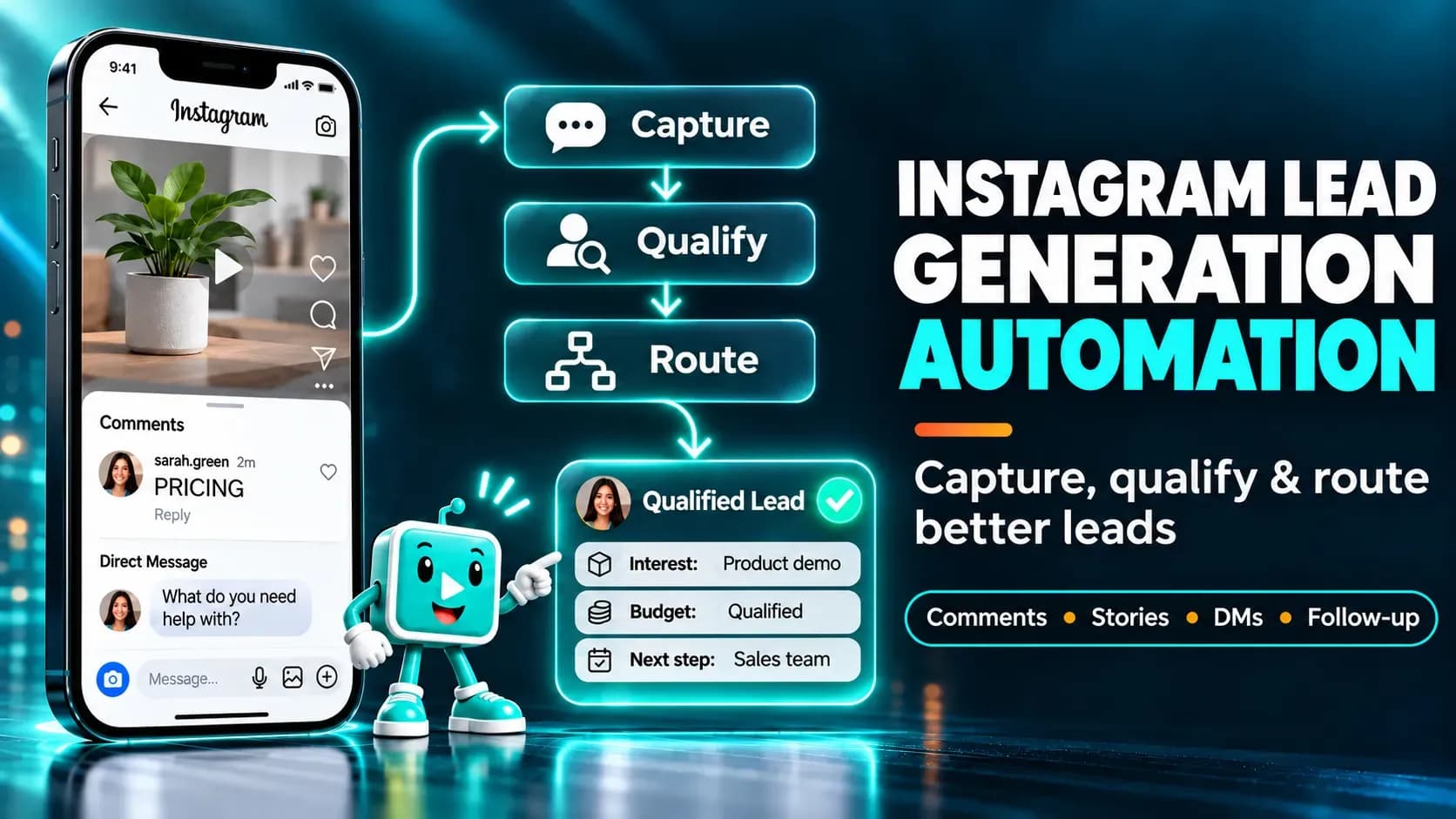
Instagram can generate plenty of activity without generating many useful leads. People comment on your posts, reply to Stories, and ask questions in DMs, but those conversations are easy to lose when your team has to manage everything manually. Even when someone shows genuine interest, you may not know what they need, whether they're a good fit, or how to follow up.
Instagram lead generation automation helps you turn those interactions into organized lead records. Instead of treating every message as an isolated conversation, you can ask relevant questions, capture contact details when needed, identify promising prospects, and give your team enough context to take the next step.
This guide explains how automated Instagram lead capture works, how to qualify leads through DMs, and how to build a practical workflow using Elpidan. You'll also find campaign examples, tool-selection criteria, and metrics that help you evaluate lead quality rather than simply counting messages.
Set up DM flows that capture leads, ask the right questions, and start qualifying your audience automatically.
TL;DR: Instagram Lead Generation Automation
Instagram lead generation automation uses interactions such as comments, Story replies, and incoming DMs to start structured conversations with potential customers. A typical workflow identifies what someone wants, asks for a small amount of relevant information, saves their answers, and directs them toward an appropriate next step.
The goal isn't to automate as many messages as possible. It's to make sure interested people receive a useful response and that your business can recognize and follow up with qualified leads. Start with one offer, one entry point, and two or three qualification questions before building more complex campaigns.
What Is Instagram Lead Generation Automation?
Instagram lead generation automation is the process of identifying, capturing, and qualifying potential customers through automated Instagram interactions. It connects an action that signals interest—such as sending a keyword in a DM—to a conversation designed to collect useful information and determine what should happen next.
For example, a business coach might invite followers to request a free planning worksheet. When someone sends the keyword "PLAN," an automated conversation can deliver the worksheet, ask what type of business they run, and offer a consultation link if their answers indicate a relevant need.
The distinction matters: an automatic reply sends a message, while a lead generation workflow helps a business understand who is interested and why. If you're new to the underlying messaging technology, start with what Instagram DM automation is.
What Counts as an Instagram Lead?
An Instagram follower isn't automatically a lead. For practical purposes, a lead is someone who has shown relevant interest and can be identified or contacted through an appropriate, permitted channel.
A person asking about a service may already be a useful lead even before sharing an email address. Capturing additional information can make follow-up easier, but the quality of the lead depends on factors such as their needs, purchase intent, and fit with your offer—not simply the number of fields you collect.
Why Automate Instagram Lead Capture?
Automating Instagram lead capture helps businesses respond consistently and organize information that might otherwise remain scattered across conversations. It is especially useful when the same questions and requests appear repeatedly or when a campaign generates more messages than a team can handle promptly.
Consider a creator offering a downloadable guide. Without a structured process, some people receive the guide immediately, others wait for a manual reply, and their interests may never be recorded. With an automated workflow, each eligible interaction can follow a consistent process while unusual requests remain available for human attention.
The potential benefits include faster initial responses, more consistent qualification, and clearer lead records. Those benefits aren't guaranteed by automation alone: a confusing conversation can still lose prospects, and an irrelevant offer can attract people who will never become customers.
How Automated Instagram Lead Capture Works
Automated Instagram lead capture connects an entry interaction to a short conversation and a defined lead outcome. Rather than sending everyone the same sales pitch, the workflow collects enough context to determine whether a person needs information, a resource, or help from a team member.
A basic process has five parts:
- Entry point: Someone comments on a post, replies to a Story, or sends a relevant DM.
- First response: The automation acknowledges the request and explains what happens next.
- Qualification: The conversation asks a few questions about the person's needs or preferences.
- Lead capture: Relevant answers are saved using supported contact fields, tags, or custom fields.
- Next action: The person receives the requested resource, a suitable recommendation, or an opportunity to speak with a human.
For example, a fitness coach might ask whether someone wants help with strength training or general fitness. That answer can determine which resource they receive and whether the coach should review the conversation personally.
This process is different from building a complete sales journey. If your goal is to move an already-qualified prospect toward a purchase, see our guide to building an Instagram DM sales funnel.
Ways to Generate Leads on Instagram
Businesses can generate leads through several Instagram entry points, but the right choice depends on how their audience normally expresses interest. A comment-driven campaign may work for a public giveaway or resource, while an incoming DM may be more appropriate for private service inquiries.
Comment-to-DM Lead Capture
Comment-to-DM campaigns invite people to request something by commenting on a post or Reel. A relevant comment can trigger an eligible private reply, allowing the business to continue the experience through supported messaging interactions.
For instance, a marketing agency might publish a post about common advertising mistakes and invite readers to comment "CHECKLIST" for a free audit template. The resulting conversation can provide the resource and, where permitted, ask whether the person manages campaigns for their own business or for clients.
The comment trigger is only the entry point. It doesn't automatically grant permission to send unlimited follow-up messages. For trigger configuration and platform-specific behavior, read our dedicated Instagram comment-to-DM automation guide.
Story Reply Lead Capture
Story replies are useful when a lead generation offer relates to something followers are already viewing. A coach might share a Story about a common challenge and invite interested viewers to reply with a keyword to receive a planning worksheet.
Because the interaction is tied to a specific Story, the first message can refer naturally to that context. Keep the follow-up focused on the original request rather than introducing an unrelated sales sequence.
For the technical setup, see how to automate Instagram Story replies.
Incoming DM Lead Capture
Incoming DMs can be a strong source of leads because the person has chosen to start a private conversation. Common examples include requests for pricing, availability, service details, or a downloadable resource.
A workflow can identify the request, provide an appropriate response, and ask a qualification question when useful. You don't need to turn every incoming message into a lead capture form; simple support questions should still receive straightforward answers.
If you need instructions for setting up triggers and message nodes, use the separate guide on how to automate Instagram DMs.
How to Build an Instagram Lead Capture Workflow with Elpidan
To build an Instagram lead capture workflow, begin with a clear offer and decide which information will help you identify a qualified prospect. Then configure an eligible entry trigger, create a short conversation, save relevant answers, and test the experience before promoting it.
The following example uses a business offering a free Instagram growth checklist. It focuses on lead capture and qualification rather than repeating the full Flow Builder tutorial.
Step 1: Define the Offer and the Lead You Want
A useful lead magnet gives people a clear reason to start a conversation. It might be a checklist, template, consultation, product recommendation, or short training resource.
Before building the automation, write down what makes someone a good lead. For a marketing agency, that might include whether the person owns a business, manages a marketing budget, and wants help within the next few months.
Don't request information simply because a field is available. Each question should support a real decision or improve the experience.
Step 2: Choose an Entry Trigger
In Elpidan, select the relevant supported trigger for your campaign. For a checklist promoted through a Reel, that might be a comment-based interaction. For an offer shared privately, an incoming DM keyword may be a better fit.
Choose a trigger that matches the instruction you give your audience. If the post says "Send CHECKLIST in a DM," the workflow should recognize that incoming request rather than expecting a comment.
Step 3: Explain the Value Before Asking Questions
Your first message should confirm the person's request and make the next step clear. Avoid opening with a long questionnaire or asking for contact information before explaining why it's useful.
Example opening message:
"Thanks for requesting the Instagram growth checklist! I'll help you find the most relevant version. Are you growing your own business or managing an account for someone else?"
Possible responses:
- My own business
- A client or employer
This first question provides useful context without requiring sensitive personal information. It also makes the conversation feel connected to the resource the person requested.
Step 4: Ask Two or Three Qualification Questions
Qualification questions should help you understand the lead's needs, readiness, or fit. For a marketing service, you might ask what the person wants to improve and whether they're exploring solutions now or planning for later.
A simple sequence could ask:
Question 1: "What's your main Instagram goal right now?"
Responses: More leads / More sales / Better engagement
Question 2: "Are you looking for help now or researching for later?"
Responses: Ready to start / Exploring options
These answers are more useful than collecting a large amount of unrelated data. If the person needs only the free checklist, they should still be able to access it without unnecessary friction.
Step 5: Capture and Store Relevant Lead Information
Once the person understands the value of the conversation, ask for any additional details genuinely needed for the next step. An email address may be useful for delivering a downloadable resource outside Instagram, while a business type or service preference may be more important for qualification.
Elpidan's User Input and custom-field capabilities can help store supported responses as structured information rather than leaving everything buried in message history. Use the field type that matches the information being collected, and check whether the value already exists before asking for it again.
For example, you might save:
| Field | Example value | Purpose |
|---|---|---|
| Business type | Online store | Understand the prospect |
| Primary goal | More qualified leads | Identify the need |
| Timeline | This month | Help prioritize follow-up |
| Provided voluntarily | Deliver an agreed resource |
Collect only what you need, explain how contact details will be used, and avoid treating an Instagram interaction as blanket consent for marketing through other channels.
Step 6: Segment Leads Based on Their Answers
Lead segmentation helps your team distinguish different needs without rereading every conversation. Tags can identify broad categories, while custom fields can preserve specific answers such as service interest, business type, or timeline.
For example, someone who selects "More leads" and "Ready to start" might be marked for review by a sales representative. Another person who is still researching can receive the requested educational resource without being pushed toward a sales call.
Conditional logic can make these paths easier to manage, but avoid building dozens of branches before you have evidence that they are needed.
Step 7: Deliver the Resource and Define the Next Action
After the qualification questions, deliver what the person requested. If they asked for a checklist, send the checklist or its access link. Don't make the resource unexpectedly dependent on booking a call or sharing additional information that wasn't clearly required.
You can then offer a relevant optional next step: "Here's your checklist. If you'd like help applying it to your business, you can also request a short consultation."
For qualified prospects, that next step might be a booking link or a human conversation. For others, delivering the resource may be the appropriate end of the workflow.
Step 8: Test the Full Lead Journey
Test the automation using a separate eligible Instagram account before sending real traffic to it. Follow each response path and check that the correct information is stored, the promised resource arrives, and any human handoff is visible to the appropriate team member.
Pay particular attention to incomplete conversations. Someone may stop after the first question, enter an unexpected answer, or decide not to share an email address. The workflow should handle these situations without repeatedly sending the same request.
How to Qualify Instagram Leads Automatically
Automated Instagram lead qualification uses answers from a conversation to identify which prospects are most relevant to a business. It doesn't need to make a final sales decision; its purpose is to organize information so people can receive an appropriate next step.
A practical qualification model can use three dimensions:
| Dimension | Example question | What it tells you |
|---|---|---|
| Need | What are you trying to improve? | Whether the offer is relevant |
| Fit | What type of business do you run? | Whether the service suits the prospect |
| Timing | When are you planning to start? | Whether immediate follow-up makes sense |
For a service business, a person with a relevant need and near-term timeline may deserve faster human attention. Someone with a longer timeline may still be valuable, but they probably need educational information rather than an immediate sales pitch.
Tags vs. Custom Fields for Lead Qualification
Tags are useful for broad labels such as "Interested in coaching" or "Requested checklist." Custom fields are better for storing specific values such as a selected service, preferred timeline, or business category.
Using both can make lead records easier to interpret. For example, a contact might have the tag "Consultation interest" and a custom field showing "Timeline: next month."
If you need a deeper explanation of how these data types differ, see our guide to Instagram tags vs. custom fields.
When to Hand a Lead to a Human
A human handoff is appropriate when someone asks a complex question, needs a personalized quote, expresses a specific purchase intention, or encounters a problem the automation cannot resolve.
The automation should preserve the relevant conversation context so the team doesn't ask the person to repeat information unnecessarily. A good handoff feels like a continuation of the conversation, not a restart.
How to Organize and Follow Up With Instagram Leads
Organizing Instagram leads means making their information easy to find, understand, and act on after the initial conversation. Capturing an email address is not enough if nobody knows why the person contacted you or what they were promised.
A useful lead record includes the source of the interaction, the offer requested, relevant qualification answers, and the next action. Teams can use this context to prioritize conversations and avoid sending generic follow-ups to people with different needs.
Elpidan's Instagram inbox and contact information features can help teams review conversation context alongside saved data. Before adopting a more complex process, decide who owns each lead and what should happen when a person requests human assistance.
Follow-Up Without Over-Messaging
Instagram messaging automation must respect Meta's applicable messaging permissions and time limits. A person commenting on a post, clicking an external link, or receiving a message does not automatically authorize an unrestricted series of promotional DMs.
If your campaign includes follow-up messages, verify that each message is permitted for the specific interaction and timing. For a detailed explanation, see the Instagram 24-hour messaging rule.
When someone voluntarily provides an email address and agrees to receive email communications, follow-up through that channel may be appropriate, subject to applicable privacy and marketing requirements. Don't assume that providing contact information automatically means agreeing to every type of marketing message.
How to Choose an Instagram Lead Generation Tool
An Instagram lead generation tool should help you capture useful information, qualify prospects, and keep conversations organized—not merely send automatic replies. The right choice depends on the complexity of your lead process, your team's workflow, and the messaging capabilities available to your account.
Look for these capabilities when evaluating a platform:
| Capability | Why it matters for lead generation |
|---|---|
| Supported Instagram messaging integration | Helps keep workflows aligned with platform requirements |
| Multiple entry triggers | Supports different ways people express interest |
| User Input and custom fields | Stores useful qualification information |
| Tags and conditional logic | Organizes leads and routes conversations |
| Shared inbox or human handoff | Helps teams respond to qualified prospects |
| Workflow testing | Reduces broken conversations and missed requests |
| Relevant reporting | Makes lead quality and completion measurable |
Elpidan is one option for businesses that need visual workflows, user-input collection, custom fields, tags, and inbox visibility together. However, you should evaluate whether its current capabilities match your specific lead process and integration needs before choosing a platform.
This section focuses on selection criteria rather than ranking competing products. For a broader product comparison, read our guide to the best Instagram DM automation tools.
Instagram Lead Generation Campaign Examples
Effective Instagram lead generation campaigns match the entry interaction, qualification questions, and next action to a specific audience. The following examples illustrate how different businesses can collect useful information without turning every conversation into a long sales sequence.
Example 1: Agency Audit Request
A marketing agency publishes a Reel about common Instagram advertising mistakes and invites viewers to request an audit checklist.
Entry: The person sends "AUDIT" in a DM.
Qualification: The workflow asks whether they manage their own brand and what their main advertising challenge is.
Lead capture: Their business category and selected challenge are saved.
Next action: The checklist is delivered, followed by an optional invitation to request a consultation.
This approach helps the agency distinguish people who want educational content from those who may need professional support.
Example 2: Ecommerce Product Recommendation
An online store invites followers to message "FIND" for help choosing a product.
Entry: The person sends the keyword.
Qualification: The workflow asks about their preferred category, intended use, and budget range.
Lead capture: Product preferences are saved as structured information.
Next action: The person receives a relevant recommendation or product link, with human support available for questions.
The value comes from understanding preferences before recommending a product, rather than sending the same catalog to everyone.
Example 3: Coaching Consultation Inquiry
A coach shares a Story about a common challenge and invites viewers to reply if they want a planning worksheet.
Entry: The person replies to the Story.
Qualification: The workflow asks about their goal and whether they are looking for immediate help or general guidance.
Lead capture: Their answers are saved for future context.
Next action: Everyone receives the promised worksheet. People who express a relevant, immediate need can choose to request a consultation.
This separates educational interest from consultation intent without assuming every Story reply is a sales opportunity.
Example 4: Creator Resource Campaign
A creator offers a short course outline to followers who send a specific keyword.
Entry: The person requests the outline through an eligible messaging interaction.
Qualification: The workflow asks which topic they want to learn first.
Lead capture: Their topic preference is stored.
Next action: The requested outline or first lesson is delivered, and the person can choose an additional resource through a supported interaction.
If the creator wants to distribute lessons on later days, they should use a channel and consent model that supports that schedule rather than assuming a previously opened Instagram conversation permits unrestricted daily messages.
Common Instagram Lead Capture Mistakes
The most common lead capture mistakes involve unnecessary friction, unclear expectations, and poor handling of collected information. Fixing these problems often matters more than adding extra automation branches.
Asking for Too Much Information Too Early
A person requesting a free checklist usually doesn't need to provide their phone number, company size, location, and budget before receiving it. Ask only what supports the immediate experience and explain why additional details are useful.
Treating Every Interaction as a Qualified Lead
A comment, Story reply, or keyword message shows interest in something, but not necessarily purchase intent. Use relevant questions to distinguish resource requests, support needs, and genuine buying interest.
Sending Everyone the Same Follow-Up
Someone researching a topic may need educational information, while someone requesting a quote may need a person to respond. Segment leads according to their answers rather than forcing every conversation through one promotional sequence.
Forgetting About Consent and Messaging Limits
A lead capture workflow should not assume that an Instagram interaction authorizes ongoing promotional messages or off-platform marketing. Be clear about how information will be used, follow applicable privacy requirements, and respect Meta's messaging restrictions.
Measuring Only Message Volume
A campaign can generate hundreds of messages and still produce few useful leads. Measure whether people complete the qualification process and take meaningful next steps, not just whether the trigger fires.
How to Measure Instagram Lead Generation Results
Instagram lead generation performance should be measured by the quality and progression of leads, not simply by the number of automated messages sent. A useful measurement plan tracks how many people enter the workflow, how many provide relevant information, and how many become qualified prospects.
Start with these metrics:
| Metric | Definition | Why it matters |
|---|---|---|
| Workflow entries | Number of eligible interactions that start the flow | Shows initial campaign response |
| Lead capture rate | Leads captured ÷ workflow entries | Measures capture effectiveness |
| Qualification completion rate | People completing qualification ÷ people starting it | Reveals conversation friction |
| Qualified lead rate | Qualified leads ÷ captured leads | Indicates lead relevance |
| Human handoff rate | Conversations sent to a team member ÷ workflow entries | Shows support and sales workload |
| Booking rate | Booked consultations ÷ qualified leads | Measures progress toward a sales conversation |
For example, imagine 200 people enter a campaign, 80 provide the required lead information, and 24 meet your qualification criteria. The lead capture rate is 40%, and the qualified lead rate is 30% of captured leads. These are illustrative calculations, not Elpidan performance benchmarks or expected results.
Define what counts as a captured lead and a qualified lead before launching. If you change those definitions halfway through a campaign, comparisons become misleading.
How to Improve the Workflow Using Data
If many people start but few complete the conversation, inspect where they leave. The first qualification question may be too personal, the value of the offer may be unclear, or the workflow may contain too many steps.
If completion is high but few leads qualify, review the audience, offer, and entry message. You may be attracting people who want a free resource but aren't a good fit for your service.
Make one meaningful change at a time and compare results across similar campaigns. That makes it easier to identify which improvements are actually helping.
Use Elpidan to build automated flows that capture, qualify, and convert leads into customers — without manual follow-ups.
Frequently Asked Questions About Instagram Lead Generation Automation
What is Instagram lead generation automation?
Instagram lead generation automation uses supported Instagram interactions to start conversations that identify, capture, and qualify potential customers. It can collect relevant answers, organize contacts, and guide people toward resources or human assistance.
How do you generate leads on Instagram automatically?
Start with an offer relevant to your audience and invite people to request it through a supported interaction. Use a short automated conversation to understand their needs, save useful information, and deliver the promised next step. Test the workflow before launching the campaign.
Can you capture leads directly through Instagram DMs?
Yes, supported messaging workflows can collect information through conversations, including answers to qualification questions. Whether you also need an email address or external form depends on your business process and how the information will be used.
Do you need a landing page for Instagram lead generation?
Not always. A DM conversation can be enough to identify a prospect, collect relevant answers, and offer a next step. A landing page may still be useful for detailed explanations, bookings, payments, or consent-based signups.
What information should you collect from Instagram leads?
Collect the minimum information needed to provide the requested resource or determine whether the person is a suitable prospect. Depending on the business, that might include a service interest, business type, timeline, or voluntarily provided contact details.
How can you qualify leads through Instagram DMs?
Ask a small number of relevant questions about the person's needs, fit, and timing. Save the answers in appropriate fields and use them to determine whether to provide educational content, offer a booking link, or request human follow-up.
What is the difference between Instagram lead generation and a DM sales funnel?
Lead generation focuses on identifying interested people, capturing useful information, and determining whether they are qualified. A DM sales funnel focuses more broadly on moving prospects toward a purchase or other conversion. The two processes can connect, but they serve different immediate goals.
What should you look for in an Instagram lead generation tool?
Prioritize a supported Instagram integration, flexible triggers, structured data capture, qualification logic, human handoff, and useful reporting. A tool with many messaging features isn't necessarily the best fit if it cannot organize the information your team needs.
Can you automatically follow up with Instagram leads the next day?
Only when the specific follow-up is permitted under Meta's applicable messaging rules and the conversation's current eligibility. A previous interaction doesn't automatically authorize unrestricted messages on later days. For longer-term nurturing, consider an appropriate opt-in channel.
How do you know whether Instagram lead generation is working?
Track workflow entries, captured leads, qualification completion, qualified lead rate, and meaningful next steps such as consultations booked. Compare those results with the time and resources required to manage the campaign.